A staff timeclock for your Roblox community
Give staff a one-click clock in / out and see attendance on a visual week timeline. Every shift lines up with your distributions, and clocked time sits right alongside real in-game time so you can tell the two apart at a glance.

sloss2003
12h 40m
builderman
9h 05m
shedletsky
7h 20m
Timeclock gives your team a simple punch-in / punch-out system that lives right next to your activity tracking — without replacing it. Staff clock in when they start a shift and clock out when they finish.
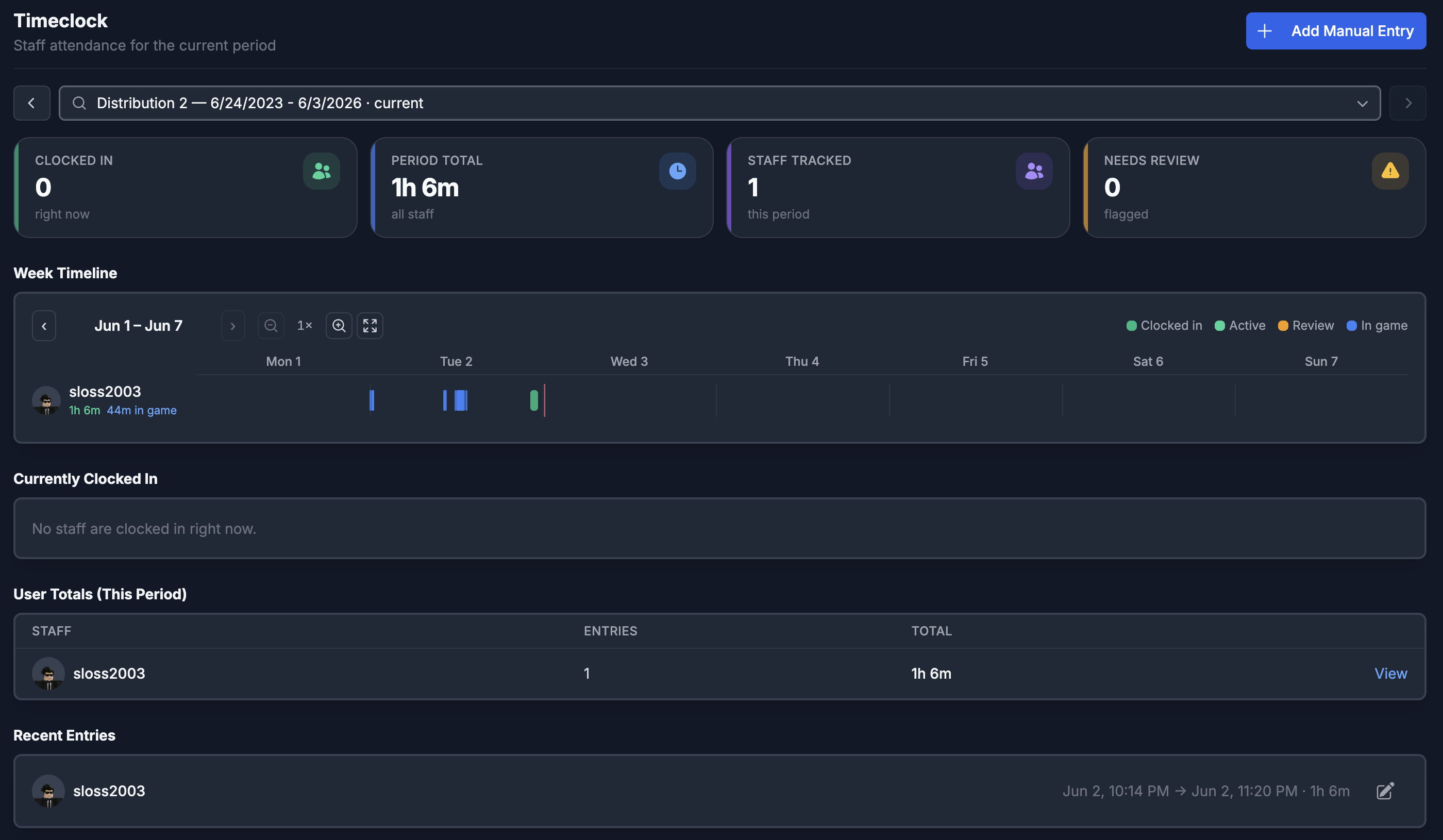
Every shift is automatically filed under the distribution that's active when the member clocks in, so attendance always lines up with the same periods your activity data uses. A visual week timeline shows each shift in green with tracked in-game time overlaid in blue.
Managers get a full overview: who's currently clocked in, period totals ranked by presence, shifts that ran too long flagged for review, and the latest clock-ins and clock-outs across the team.
What you get
Everything staff timeclock should do
One-click clock in / out
Staff punch in when they start and out when they finish — right from the dashboard.
Visual week timeline
A Gantt-style week shows each shift in green, with tracked in-game time overlaid in blue.
Manager review & corrections
Flag over-long shifts, force them closed, and add manual entries — all kept in an audit trail.
Department-level control
Choose which departments can clock in, with granular view, manage, and edit permissions.
Frequently asked questions
- Does ReAdmin have a staff timeclock for Roblox?
- Yes. ReAdmin's Staff Timeclock lets staff clock in and out with one click, shows attendance on a visual week timeline, and files every shift under the active distribution.
- Can managers review and correct shifts?
- Yes. Managers can see who's currently clocked in, view period totals, flag over-long shifts, force them closed, and add audited manual entries.
- Does the timeclock replace activity tracking?
- No. The timeclock sits alongside activity tracking — clocked shifts appear in green and tracked in-game time in blue, so you can tell self-reported shifts from real in-game time.
Explore related features
Bring staff timeclock to your Roblox community
ReAdmin is the most advanced staff management platform on Roblox — and it's free to start.