Teams and approval workflows for Roblox staff
Organize your community into teams with a real reporting hierarchy, then route time-off and expense requests through exactly the right people. Build multi-step approval chains, skip to another department, and settle expense reports with comments — all from one place.

arcandev
Director of Staff
sloss2003
Operations Manager
mldev_99
Operator
BloxxedBella
Operator
voxelqueen
Support Lead
no0bSlayerXD
Support Agent
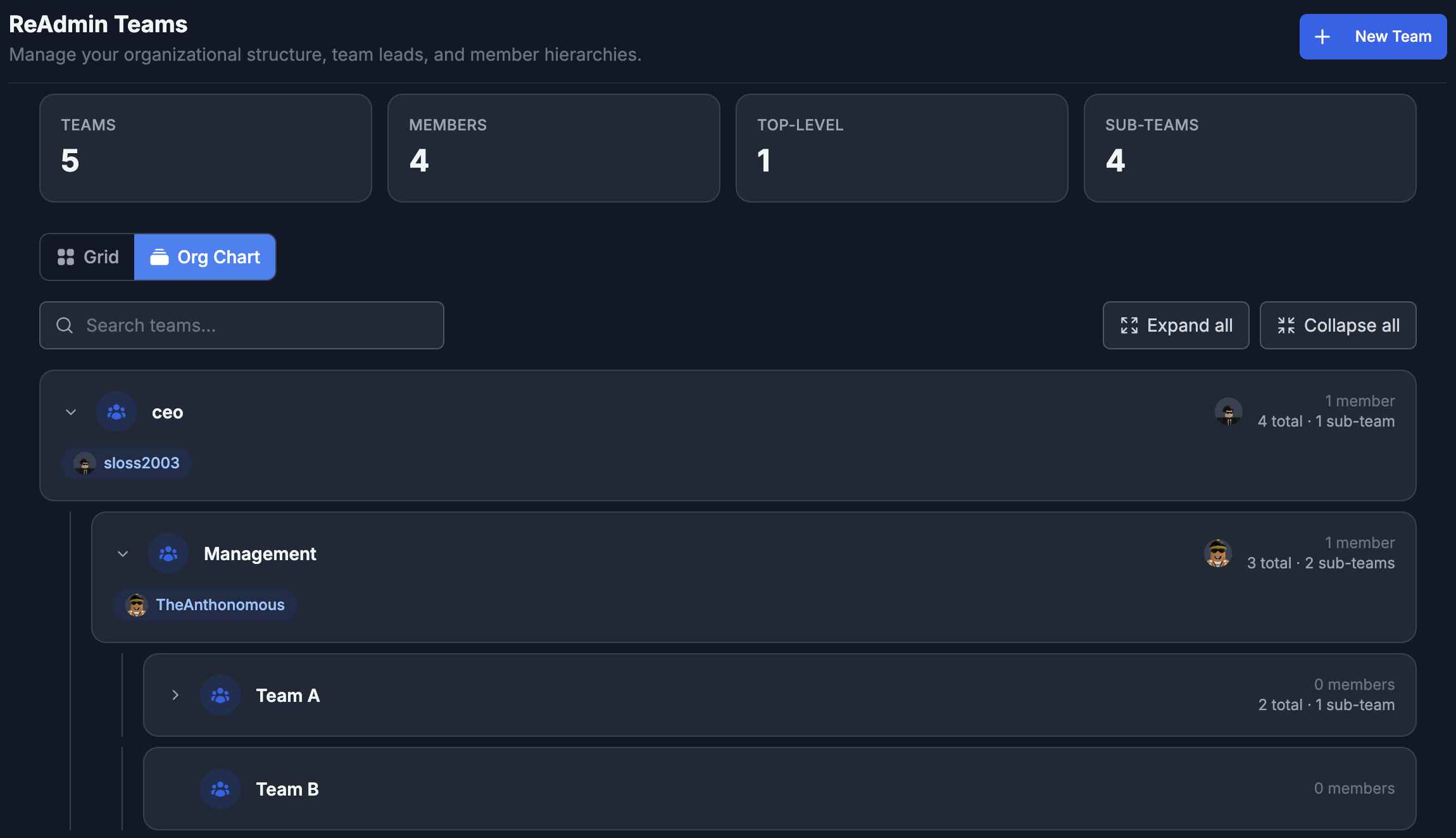
Teams turns a flat staff list into a real organization. Group members into teams, give each team its leads, and build a reporting hierarchy that mirrors how your community actually works — directors over managers over staff, department by department.
On top of that hierarchy, ReAdmin routes the requests that matter. When a member asks for time off or submits an expense report, it walks up the exact chain you define: their direct manager signs off, then their manager's manager, and so on — or it jumps straight to a finance team in another department when that's what you need.
Every step is configurable, every decision is recorded, and every request has a comment thread — so approvers can ask questions, and whoever pays out an expense can note exactly how it was disbursed. No more DMs, spreadsheets, or lost approvals.
What you get
Everything teams & approvals should do
Real reporting hierarchy
Build teams with leads and a manager chain, visualized as an org chart your whole staff can see.
Configurable approval routing
Walk requests up the manager hierarchy a set number of levels, or build a custom step-by-step chain.
Skip to another department
Route a step to a whole team's leads or a specific person — bypass a direct report and send straight to finance.
Time off & expense reports
Members request time off or file expenses with attachments; approvers act with a full audit trail.
Comments on every request
Discuss a request inline and note exactly how an expense was disbursed, right on the record.
Permissions you control
Decide who can view, manage, and approve — and whether members can submit expenses at all.
Approvals that match your org
Choose a routing mode per request type. Manager hierarchy walks a request up the chain a set number of levels — direct manager, then their manager, and so on. Custom routing lets you build an ordered chain of steps: a manager at a given level, the leads of any team, or one specific person — perfect for sending expenses past a direct report straight to a finance team.
Settle expenses, on the record
Expense reports carry an amount, a description, and file attachments. As a request moves through its chain, approvers leave comments and decisions inline. When it's paid, whoever disbursed it can note exactly how — so the full story of every dollar lives on the request, not in someone's DMs.
Frequently asked questions
- Can I set who approves time off and expenses on Roblox?
- Yes. ReAdmin Teams let you configure an approval chain per request type. Route requests up the manager hierarchy a set number of levels, or build a custom step-by-step chain that can jump to a specific team's leads or person.
- Can an approval skip a direct report and go to another department?
- Yes. With custom routing, a step can be sent to the leads of any team or a specific person, so an expense report can bypass a direct manager and go straight to a finance team in another department.
- Can staff discuss a request or note how an expense was paid?
- Yes. Every time-off and expense request has a comment thread. Approvers can ask questions inline, and whoever disburses an expense can record exactly how it was paid out — all kept on the request.
- Can I restrict who can submit expense requests?
- Yes. A workspace toggle lets you limit expense submissions to managers and approvers, so regular members can't file expense reports when you don't want them to.
- Can I turn Teams off entirely?
- Yes. Teams is controlled by a single master switch in settings. When it's off, Teams is hidden from the navigation and staff profiles, and new requests are blocked.
Explore related features
Bring teams & approvals to your Roblox community
ReAdmin is the most advanced staff management platform on Roblox — and it's free to start.